


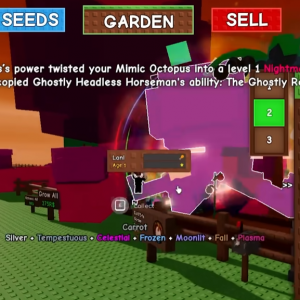




Managing a small garden in Grow A Garden can feel tricky at first, especially when space is limited and every planting choice matters. I have spent a good amount of time testing layouts, timing crops, and learning from mistakes, and this guide is meant to share those experiences in a simple, practical way. Whether you are new or already a few hours in, optimizing a small garden can make the game more relaxing and more rewarding.
Understanding the Limits of a Small Garden
A small garden forces you to think ahead. You do not have room for everything, so planting without a plan often leads to wasted time and slow progress. The key idea is that every tile should serve a purpose. Early on, it is tempting to plant whatever looks cool, but efficiency matters more than variety when space is tight.
In Grow A Garden, especially for players coming from Roblox games with larger maps, the limited area can feel restrictive. But once you accept those limits, the game becomes more strategic. You start asking better questions, like which crops grow fastest or which ones give the best rewards for the space they use.
Smart Crop Selection
Choosing the right crops is the foundation of optimization. For small gardens, fast-growing plants are usually better than slow, high-value ones. Quick harvest cycles mean more frequent rewards and more chances to adjust your layout.
I recommend focusing on crops with short growth times and simple care requirements. If a plant needs constant attention or special conditions, it can slow you down. In a small garden, simplicity wins. Once you unlock better tools or upgrades, you can experiment more, but early efficiency helps a lot.
Another tip is to avoid mixing too many crop types at once. Grouping the same plants together makes harvesting faster and reduces mistakes. It may look less colorful, but it keeps things clean and easy to manage.
Layout Planning That Actually Works
Layout is something many players ignore, but it matters more than people think. Even a small change in placement can save time. Try to keep paths clear so you can move quickly between crops. If the game allows it, place frequently used tools or stations near the center of your garden.
Think about your daily routine in the game. Where do you walk the most. Where do you stop to harvest. Design the garden around those habits. When I adjusted my layout to match my movement, everything felt smoother and less rushed.
Some players even sketch a quick plan on paper before rearranging. It sounds silly, but it helps avoid trial and error inside the game.
Using Pets to Support a Small Garden
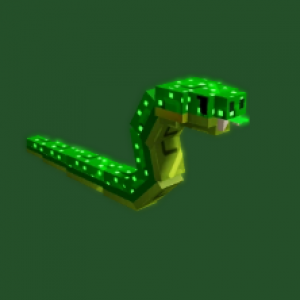
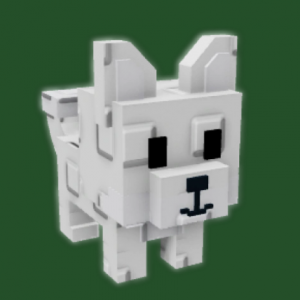
Pets can make a noticeable difference, especially when your garden is small. Certain helpers boost growth speed, improve harvest rewards, or reduce waiting time. These bonuses stack up over time and can turn a slow setup into an efficient one.
When players talk about grow a garden pets, they usually mean choosing companions that match your current goal. If you are focused on quick farming, pick pets that support speed. If you are saving for upgrades, go for ones that improve rewards. Avoid spreading your focus too much.
Pets are not just bonuses. They are part of your strategy. Treat them like tools, not decorations, and your garden will benefit.
Progression Without Feeling Stuck
One common problem in small gardens is the feeling of being stuck. Progress feels slow, and upgrades seem far away. The trick is to set small goals. Instead of aiming for the biggest upgrade, focus on the next useful improvement.
Sometimes players look into ways to buy grow a garden pets to speed things up, especially if they feel their progress has stalled. While that can be an option, it is still important to understand the core mechanics. Even the best helpers cannot fix a poorly planned garden.
Learning how the systems work will always give better long-term results than rushing ahead without a plan.
Daily Habits That Improve Efficiency
Small habits make a big difference. Logging in regularly, harvesting on time, and replanting immediately keep your garden active. Idle time is the enemy of optimization. Even short play sessions can be productive if you know what to do.
I usually start by checking which crops are ready, then I replant before doing anything else. This way, growth timers are always running in the background. It is a simple routine, but it keeps progress steady.
Also, do not forget to check for updates or balance changes. Games on Roblox often adjust values, and a crop that was great last week might not be as strong today.
Community Tips and Shared Experience
One of the best parts of Grow A Garden is the community. Players often share layouts, crop combos, and pet setups that work well in small spaces. Reading these tips can save you hours of testing.
I have seen discussions mentioning platforms like U4GM when players talk about game resources or progression paths. Even if you do not use every suggestion, these conversations can spark new ideas and help you rethink your approach.
Just remember that not every strategy fits every player. Use shared advice as inspiration, not strict rules.
Keeping the Game Fun
Optimization is useful, but it should not remove the fun. If you enjoy a certain crop or pet, it is okay to keep it even if it is not the most efficient choice. A small garden can still be personal and creative.
The best setup is one that fits your play style. Over time, you will naturally adjust and improve without forcing it. Grow A Garden rewards patience, and small improvements add up faster than you expect.
Expert Guide: Roblox Rivals No Hacks & No Cheating Guide – How to Win Fair